Choosing a smart security system for global use requires more than comparing cameras, sensors, and subscription prices. Buyers must examine how each system performs across homes, offices, warehouses, and remote sites. They should assess image quality, response speed, mobile access, device compatibility, and support availability in different regions. Weather resistance matters in outdoor installations. So does stable performance during weak internet connections.
A practical question is, “what are the benefits of smart security systems?” These systems can provide real-time alerts, remote monitoring, automated lighting, access records, and faster incident verification. A manager may receive an alert when a door opens unexpectedly at 2 a.m. A homeowner may check a child’s arrival without calling. However, convenience does not guarantee protection. False alarms, unclear data policies, poor installation, and incompatible platforms can reduce trust quickly. These risks deserve attention.
Security technologist Bruce Schneier offers a useful reminder: “Security is a process, not a product.” His statement fits international purchasing decisions well. Buyers should review software updates, encryption practices, privacy controls, warranty terms, and local service capacity before signing a contract. They should also ask where video data is stored and who can access it. Small details matter.
There is no perfect system. A low-cost device may suit a small apartment but fail in a busy commercial site. A premium platform may offer stronger tools but create unnecessary complexity. The best choice balances protection, usability, maintenance, and long-term reliability. It should fit real people, real buildings, and real operating conditions. Mistakes can happen. Careful testing can reduce them.
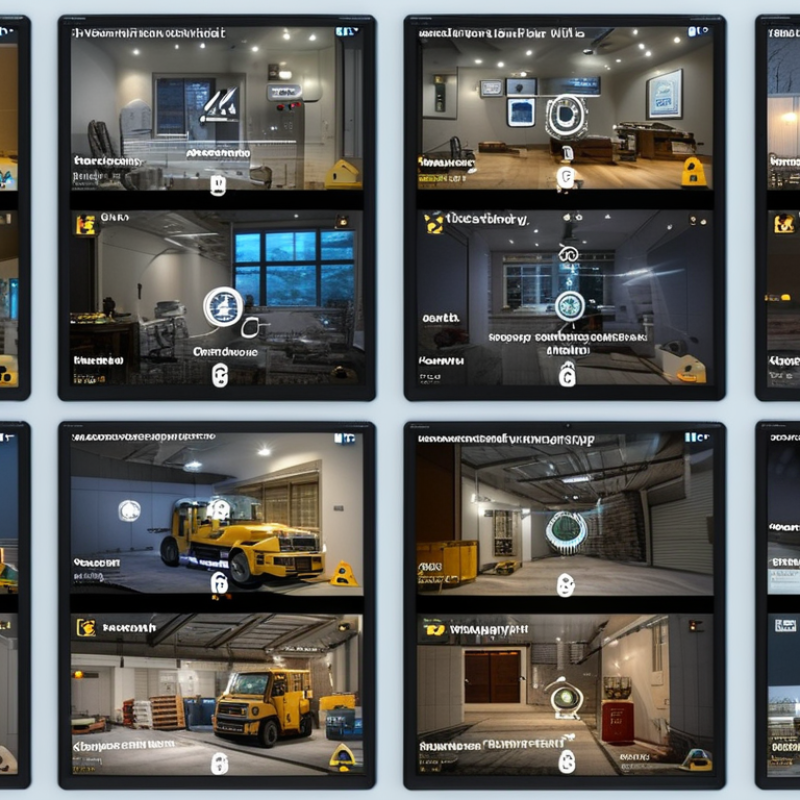
Choosing a smart security system begins with local conditions, not technical features. Security needs change across countries and property types. A city apartment may need entry alerts, video verification, and discreet sensors. A rural house may require perimeter detection, backup power, and cellular communication. Coastal homes need equipment resistant to humidity and salt air. Cold regions may demand batteries and cameras rated for freezing temperatures. Power cuts happen. Internet coverage also varies.
Property use matters as much as location. A family home needs simple controls and privacy settings. A retail property may require customer-area monitoring, staff access records, and clear storage limits. Warehouses often need wide-angle cameras, door contacts, and motion detection across large zones. In shared buildings, residents should understand which areas are monitored. Local privacy and data-handling rules must be checked before installation. Requirements differ between countries, and assumptions can create expensive problems.
During system evaluations, test alerts at different times and under realistic conditions. Check whether notifications remain clear when internet service fails. Ask who maintains the equipment and how quickly support responds. A local installer can identify wiring, weather, and building-structure issues that online specifications miss. I have found that more sensors do not always mean better protection. They can create false alarms and user fatigue. No checklist is perfect. Review the system after several weeks, because actual routines often expose weaknesses that planning overlooks.
For global buyers, a smart security system should be compared as a connected set, not as a single camera. The main components include cameras, door sensors, motion detectors, smoke alarms, a control hub, and a mobile application. MarketsandMarkets’ 2024 report estimates that the video surveillance market may reach about USD 83 billion by 2028. This growth reflects stronger demand for remote monitoring, but more devices can also create more configuration problems.
Camera quality is only one purchasing factor. A useful model should provide clear night images, wide coverage, motion verification, and adjustable privacy zones. Door and window sensors should respond quickly and conserve battery power. A hub with Ethernet and wireless connectivity can maintain local control when internet service fails. Check whether it supports common standards, because mixed systems often communicate poorly. That detail is easy to miss.
Data protection deserves equal attention. Look for encrypted communication, multi-factor authentication, signed software updates, and local storage options. NIST’s Cybersecurity Framework emphasizes identification, protection, detection, response, and recovery; these principles apply to household security devices. Research from IoT Analytics reported 14.4 billion connected IoT devices worldwide in 2023, showing why weak access controls can create wider exposure. Cloud recording is convenient. It is not always the safest choice for every household.
Buyers should test alert delays, battery life, and installation access before purchasing in volume. A specification sheet may promise a 120-degree view, yet furniture can reduce it sharply. I have found that simpler systems are often easier to maintain. That is not a perfect rule. Local privacy expectations, network conditions, and support quality still require careful review.
The chart rates common smart security components against five practical buying criteria on a 1–5 scale: protection coverage, real-time alerts, installation simplicity, suitability for different climates, and integration potential. Higher scores indicate stronger suitability for a scalable system, while actual performance depends on network quality, installation conditions, local regulations, and device specifications.
Connectivity is the first practical test. The system should support Ethernet, Wi-Fi, and cellular backup where infrastructure is uncertain. GSMA Intelligence forecasts 18.8 billion connected IoT devices worldwide in 2024. That scale increases both opportunity and failure points. Check whether cameras, locks, sensors, and alarms use open protocols. Compatibility should cover existing networks, mobile platforms, and future replacements. A device that works only with one controller may become expensive to maintain. Test pairing in a real building, not only on a showroom table. Some systems fail quietly.
Privacy requires more than a password. Ask where video is stored, how long it remains, and who can retrieve it. Local processing can reduce unnecessary transfers. End-to-end encryption, multi-factor authentication, signed firmware, and detailed access logs should be standard requirements. The 2024 Data Breach Investigations Report found that human involvement appeared in 68% of breaches. Staff permissions therefore need regular review. The 2024 Cost of a Data Breach Report recorded a global average breach cost of 4.88 million dollars. That figure is broad, not security-system specific, but it exposes the financial risk of weak controls. Buyers should also verify regional data-transfer practices and deletion procedures. I would not trust a glossy privacy promise without a retention schedule, update policy, and independent security testing.
Global buyers should judge a smart security system beyond its camera resolution. Installation, maintenance, costs, and local support often decide its real value. A strong device can still fail when wiring, network access, or wall materials are misunderstood.
Installation begins with a site survey, not a sales promise. Ask whether technicians understand local building practices, electrical standards, and internet conditions. In a warehouse, one poorly placed sensor may leave a loading door unseen. Request a clear installation plan, testing records, and user training. Training matters.
I have seen projects become expensive because installers ignored cable routes and power backups. That mistake deserves careful review, not excuses. Maintenance should include firmware checks, lens cleaning, battery replacement, and emergency repairs. Ask for response times in writing. Cloud subscriptions, storage fees, replacement parts, and technician visits can change the five-year cost. A low quote may hide recurring charges. Compare the full ownership cost, not only the purchase price. Local support should offer familiar language, reasonable working hours, and trained staff nearby. Confirm how incidents are escalated when the first technician cannot solve them. Do not assume remote help is enough. Written service terms improve accountability, although they may not cover every regional delay. Test support before purchase with a practical question about network failure. Their response can reveal more than a polished presentation.
How to Choose Smart Security Systems for Global Buyers?
Select a Scalable System and Verify Its Performance Before Purchase
Global buyers should treat scalability as a practical requirement, not a sales promise. A small office may need four cameras today and twenty-four next year. The system should support added devices without replacing its central equipment. Check storage expansion, user permissions, software updates, and network capacity. Confirm whether installation remains manageable across different buildings and regions.
Test performance before signing a purchase agreement. Place one camera near a bright window and another in a dim corridor. Review image clarity, motion alerts, audio quality, and recording delays. Test the system during weak network conditions. A useful trial should last several days, including evenings and busy periods. Ask for measurable results, such as alert accuracy and recovery time after a connection fails.
Security teams should also inspect encryption, access logs, backup methods, and data retention controls. These details affect privacy and operational reliability across countries. Request technical documents, independent test reports, and clear support response times. Speak with experienced installers about local wiring, climate, and maintenance conditions. My own early checklist was too short. It ignored staff training and false alarms. That mistake taught me to test the daily workflow, not only the hardware. A system can look impressive on a showroom screen and still frustrate users after installation.
| Evaluation Dimension | Small Site Up to 16 Devices |
Growing Site 17–64 Devices |
Multi-Site Deployment 65+ Devices |
Pre-Purchase Verification |
|---|---|---|---|---|
| Recommended Architecture | Local gateway with optional secure cloud access. | Hybrid architecture with local recording and centralized administration. | Federated or cloud-managed architecture with site-level gateways. | Request a network diagram showing device, gateway, storage, application, and remote-access dependencies. |
| Supported Devices | Typically supports cameras, door contacts, motion sensors, sirens, and smart locks. | Should support mixed device types, role-based access, and multiple gateways or zones. | Should support standardized APIs, device grouping, multi-site policies, and centralized health monitoring. | Test every required device type, including alarm events, video streams, access control, and notifications. |
| Video Resolution and Frame Rate | 1080p at approximately 15–25 frames per second for general monitoring. | 1080p or 4MP at approximately 15–30 frames per second, depending on network capacity. | Mixed-resolution support, including higher-detail cameras for entrances and lower-bandwidth cameras for general areas. | Check identification quality at the actual mounting distance, lighting conditions, and camera angle. |
| Network Connectivity | Ethernet or Wi-Fi, with optional cellular backup for critical alerts. | Prefer wired Ethernet or Power over Ethernet for fixed cameras; use Wi-Fi for suitable low-risk locations. | Use segmented wired networks, site-to-site connectivity, and cellular or secondary internet failover where required. | Measure live-view latency, upload stability, and alarm delivery during normal and backup-network operation. |
| Scalability | Capacity should exceed the initial requirement by at least 25%. | Capacity should allow additional cameras, users, storage, and sites without replacing the core platform. | Should support centralized policies, bulk device enrollment, delegated administration, and independent site operation. | Confirm maximum cameras, users, sites, concurrent viewers, and storage expansion in written documentation. |
| Storage Planning | Local storage or a small network recorder may be suitable for short retention periods. | Use expandable local, network, or cloud storage with event-based recording to control bandwidth and capacity. | Use tiered storage, retention policies, and site-level buffering for locations with intermittent connectivity. | Calculate storage using camera count, bitrate, recording hours, retention days, and redundancy requirements. |
| Typical Storage Reference | One 1080p stream at 2 Mbps uses approximately 21.6 GB per day before overhead. | Sixteen 1080p streams at 2 Mbps use approximately 345.6 GB per day before overhead. | One hundred 1080p streams at 2 Mbps use approximately 2.16 TB per day before overhead. | Allow additional capacity for audio, metadata, variable bitrates, system overhead, and storage redundancy. |
| Cybersecurity Controls | Unique credentials, encrypted connections, automatic updates, and multi-factor authentication where available. | Role-based access, audit logs, device certificates or secure keys, network segmentation, and controlled updates. | Central identity management, least-privilege access, security logging, vulnerability response, and documented update procedures. | Verify encryption in transit, account protection, password policy, update support period, log retention, and data deletion controls. |
| Privacy and Data Location | Suitable for local recording when data must remain on-site. | Requires a clear choice between local, regional, and cross-border cloud storage. | Should support regional data hosting, configurable retention, access records, and privacy controls by jurisdiction. | Confirm where video and personal data are stored, who can access them, and how export and deletion requests are handled. |
| Power Resilience | Use a battery-backed gateway and emergency power for essential sensors. | Use an uninterruptible power supply for gateways, network equipment, and recording hardware. | Use redundant power paths, monitored backup power, and documented recovery procedures at each site. | Simulate power loss and confirm detection time, local recording duration, alert delivery, and automatic recovery. |
| Alarm and Notification Performance | Local audible alert plus mobile notification for basic events. | Configurable escalation to multiple users, schedules, and event priorities. | Centralized incident workflows with site-specific escalation, acknowledgment, and audit trails. | Measure the time from sensor activation to local alarm, mobile alert, email, and monitoring-center notification if used. |
| Integration Capability | Basic mobile application and common automation integrations. | Documented API, webhooks, access-control integration, and exportable event data. | Open integration framework for building management, identity systems, incident management, and analytics platforms. | Test API authentication, event accuracy, data format, rate limits, and behavior when an integration is unavailable. |
| Environmental Suitability | Indoor devices for controlled temperatures and low exposure to dust or moisture. | Outdoor-rated devices for entrances, parking areas, and exposed mounting locations. | Site-specific equipment selected for temperature, humidity, dust, vibration, corrosion, and lighting conditions. | Check the published operating temperature, weather-resistance rating, impact resistance, and mounting requirements. |
| International Deployment | Confirm local radio frequencies, electrical requirements, and available support. | Confirm regional cloud availability, cellular bands, language support, and import documentation. | Confirm regulatory approvals, data-transfer requirements, local installation capability, spare parts, and service coverage. | Request country-specific compliance documents and verify that the exact model and power adapter are approved for the destination market. |
| Reliability Target | Monitor locally Prefer systems that continue basic detection and recording during internet loss. |
Fail gracefully Local functions should continue while remote access and cloud synchronization are interrupted. |
Recover automatically Sites should buffer events and synchronize after connectivity is restored. |
Perform a 24–72-hour pilot with internet interruption, power cycling, high traffic, night conditions, and simultaneous alarms. |
| Total Cost of Ownership | Include devices, installation, storage, subscriptions, replacement batteries, and network upgrades. | Include expansion hardware, professional installation, user administration, maintenance, and connectivity backup. | Include multi-site deployment, training, support contracts, cybersecurity management, data transfer, and lifecycle replacement. | Compare three-year and five-year costs using the same device count, retention period, support level, and expansion assumptions. |
| Acceptance Criteria | All required alarms, live views, recordings, and user permissions operate as specified. | Expansion, remote administration, failover, and audit functions pass the pilot test. | All sites meet performance, privacy, security, recovery, and operational requirements under a common test plan. | Record test results, exceptions, corrective actions, responsible parties, and final approval before full purchase. |
Consider climate, power reliability, internet coverage, and building structure. Coastal homes need protection from humidity and salt air. Cold regions require equipment rated for freezing temperatures. Power cuts may require backup batteries or cellular communication.
Apartments often need entry alerts, video verification, and discreet sensors. Rural homes may need perimeter detection and backup communication. Warehouses benefit from wide-angle cameras, door contacts, and motion detection across large zones. Retail properties may need staff access records and limited customer-area monitoring.
Test Ethernet, Wi-Fi, and cellular backup where available. Pair devices inside the actual building, not only on a showroom table. Check whether alerts remain clear during weak internet service. Some systems fail quietly.
Confirm compatibility with existing networks, mobile platforms, and future devices. Open communication standards can simplify replacements and expansion. A system requiring one central controller may become expensive later. Ask about software updates and network capacity.
Ask where video is stored, how long it remains, and who can access it. Check deletion procedures and regional data-transfer practices. Useful safeguards include encryption, multi-factor authentication, signed firmware, and detailed access logs. Passwords alone are not enough.
Place one camera near a bright window and another in a dim corridor. Test motion alerts, image clarity, audio, and recording delays. Run trials during evenings and busy periods. A showroom test is too limited.
Ask who maintains the equipment and how quickly support responds. Local installers can identify wiring, weather, and structural problems. Request clear update policies and measurable recovery times after connection failures. Support promises need checking.
Add sensors according to actual risks, not simply because more devices seem better. Test alerts during normal household or workplace routines. Review false alarms after several weeks. My early checklist missed staff training, and that weakness mattered.
The system should add devices without replacing central equipment. Check storage expansion, user permissions, software updates, and installation effort. A small office might need four cameras now and twenty-four later. Plan for change.
Choosing a smart security system for global buyers requires more than comparing cameras or alarm prices. Start by identifying the security needs of each country, building type, climate, and occupancy pattern, since a private home, retail space, and industrial property may require different levels of monitoring and control. Review essential components such as cameras, sensors, access controls, alarms, mobile applications, and automation features. Consider what are the benefits of smart security systems, including faster alerts, remote management, improved visibility, and more coordinated protection.
Before purchasing, evaluate network connectivity, device compatibility, privacy controls, encryption, and data protection practices. Installation requirements, maintenance arrangements, total ownership costs, warranty coverage, and the availability of qualified local support should also be assessed. A flexible, scalable system is preferable because security needs may change as a property expands. Finally, verify performance through demonstrations, testing, and clear technical documentation to ensure the system operates reliably in real-world conditions.

KBM Living