Why Is Mobile Access Control Trending Globally in 2026?

Time:2026-10-03 Author:Mason
0%

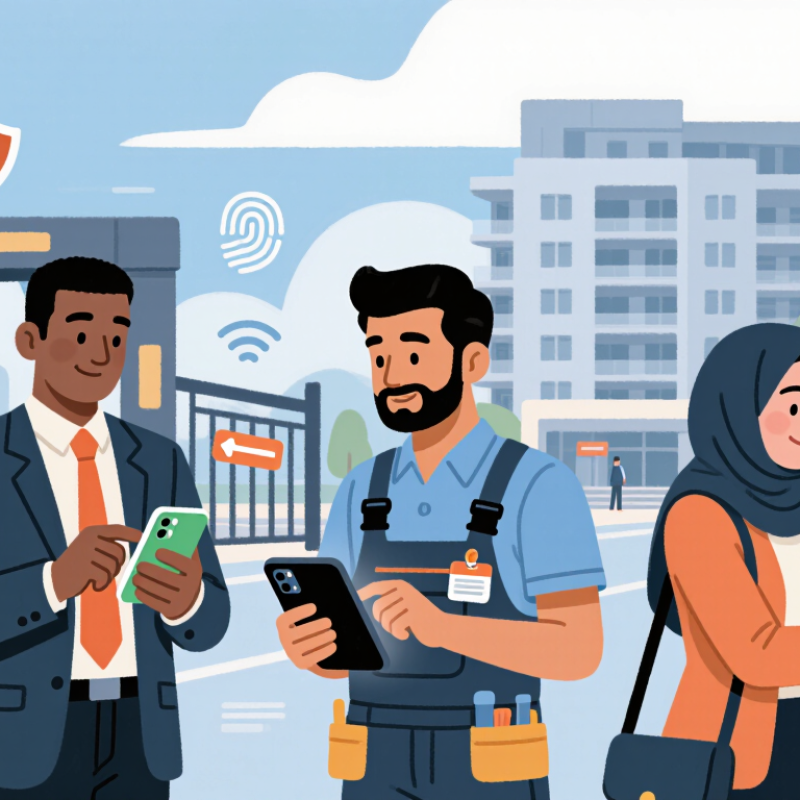
Why is mobile access control trending across global workplaces, apartment buildings, hotels, and campuses in 2026? The answer begins with everyday convenience. Employees already carry smartphones, so many organizations now use them as digital keys. A visitor can receive a temporary credential before reaching reception. A facilities manager can revoke access within seconds. The change is visible.

Modern systems also support safer, more flexible operations. Administrators can review entry records, manage doors remotely, and connect access data with workplace platforms. These features help security teams respond to staff changes, lost phones, and changing room schedules. In practice, a mobile credential can reduce plastic cards, shorten queues, and simplify access for contractors. However, convenience alone does not prove security. Reliable deployment requires strong authentication, encrypted communication, device management, and carefully limited permissions.

Industry experience shows that successful projects begin with clear risk assessments. A hospital may need strict role separation, while a coworking space may prioritize fast visitor access. Each environment has different users, doors, and operational pressures. Privacy also deserves attention, especially when systems record timestamps and location-related events. Transparent policies and regular audits build trust.

It is not a perfect solution. Phones can lose power, users can share devices, and wireless systems may face outages. Organizations should provide practical recovery methods without weakening security. Independent testing, reputable vendors, documented procedures, and trained staff remain essential. Mobile access control is trending because it combines familiar technology with measurable operational benefits. Its long-term value, however, depends on thoughtful implementation rather than excitement about the latest device.
Why Is Mobile Access Control Trending Globally in 2026?

What Mobile Access Control Means and How It Works

What Mobile Access Control Means and How It Works

Mobile access control uses a smartphone as a digital credential for entering a building, room, or secured workspace. It replaces many plastic cards and physical keys. According to GSMA Intelligence’s 2025 Mobile Economy report, more than 4.7 billion people used mobile internet services worldwide. That reach makes phones practical access tools, not just communication devices. The idea is simple. The security design is not.

A mobile credential is issued through an access management platform. The user opens an approved application or wallet, then presents the phone near a reader. Communication may use Bluetooth, near-field communication, or a secure visual code. The reader checks the credential, time limits, permissions, and sometimes device security status. The door unlocks only after the system receives a valid result. Many platforms also support remote revocation, audit logs, and temporary visitor access.

Security Depends on More Than Convenience

Security depends on more than convenience. NIST’s Digital Identity Guidelines recommend strong authentication, protected credentials, and carefully managed recovery processes. A lost phone should not become an open door. Device encryption, biometric verification, multi-factor authentication, and rapid credential cancellation reduce that risk. However, wireless signals can fail, batteries can die, and users may misunderstand permission settings. According to MarketsandMarkets’ 2024 access-control research, mobile credentials are among the major growth areas in electronic security. The forecast is encouraging, but forecasts are not field evidence. Building managers still need offline procedures, privacy controls, and regular access reviews. Real experience often exposes gaps that dashboards miss.

The Technologies Driving Mobile Access Control in 2026

Mobile access control is evolving through several connected technologies in 2026. Smartphones now store encrypted digital credentials inside protected device environments. These credentials can change automatically when access rights expire. That reduces manual card replacement and limits the impact of lost devices.

Short-range communication remains essential. Bluetooth Low Energy supports hands-free entry, while NFC enables quick tap-based verification. Ultra-wideband can improve location awareness and reduce accidental unlocks near nearby doors. Biometric verification adds another layer, using a fingerprint or facial scan before releasing a credential. However, biometrics are not perfect. Wet fingers, poor lighting, or accessibility needs can create frustrating failures.

Cloud platforms help security teams manage permissions across offices, campuses, and temporary workspaces. Real-time audit logs show who requested access, when, and from which device. Edge processing can keep doors responsive during weak network conditions. Device attestation also checks whether a phone meets security requirements before accepting a credential. In practice, deployment requires careful testing. Battery limits, operating system updates, and user privacy settings can interrupt smooth access. A well-designed system therefore keeps secure offline options and clear recovery procedures. Human support still matters.

Why Organizations Are Replacing Physical Credentials

Physical credentials are becoming costly liabilities. Cards get lost, copied, forgotten, or left beside a security desk. The 2024 Data Breach Investigations Report found that stolen credentials caused 22% of reported breaches. That figure concerns digital systems, but the lesson reaches the lobby: identity proof must be easier to control and harder to misuse. Mobile access connects authorization to a device people already carry. Administrators can revoke access within minutes, update permissions remotely, and review entry events without collecting plastic cards.

Operational experience also exposes a quieter advantage. New employees can receive approved access before arriving, while contractors can receive time-limited permissions. The 2024 Global Economic Crime Survey reported that organizations continue facing significant losses from fraud, including internal control failures. Mobile credentials cannot solve weak procedures. They may even create new risks when phones are shared, unprotected, or poorly enrolled. That deserves honest attention.

Security teams should combine device protection, multi-factor verification, encryption, and clear recovery procedures. The NIST Digital Identity Guidelines recommend stronger authentication and defined assurance levels for sensitive access. A phone is not automatically a secure credential. It is only one part of a controlled identity system. Cost matters, too: replacing readers, training staff, and supporting people without compatible devices can weaken the business case. The transition works best when organizations measure failed entries, help-desk requests, revocation speed, and unauthorized-access attempts over time.

How Mobile Access Control Improves Security and Convenience

Mobile access control is trending globally because it combines stronger security with the convenience people already expect from smartphones. A phone can replace a physical card, unlock a door through encrypted communication, and receive access changes within seconds. No plastic card. Less administrative delay.

MarketsandMarkets’ 2024 analysis estimated the mobile access control market could grow from about USD 1.1 billion in 2023 to USD 3.2 billion by 2028. The report identified smartphone adoption, cloud management, and contactless entry as major growth drivers. These findings match daily experience: employees can enter an office after a role change, while administrators can revoke access remotely. The process is faster and easier to audit.

Security still requires careful design. Verizon’s 2025 Data Breach Investigations Report found that credential abuse remained a leading initial access method, accounting for 22% of breaches. Mobile credentials should therefore use multi-factor authentication, device binding, encryption, and rapid revocation. A phone is convenient, but it is not automatically secure. Lost devices, shared accounts, weak recovery procedures, and poor network coverage can create real gaps. NIST guidance also emphasizes identity proofing and lifecycle management, not just the unlocking event. In practice, organizations should test emergency access, review permissions regularly, and measure failed-entry patterns. The uncomfortable lesson is simple: technology may improve control, yet careless administration can still undermine it.

Challenges, Privacy Concerns, and Future Developments

Mobile access control is spreading globally in 2026 because phones already authenticate daily work. Yet convenience shifts risk, rather than removing it. In field deployments, a lost phone can affect doors, visitor logs, and emergency procedures within minutes. The 2025 World Economic Forum Global Cybersecurity Outlook found that 72% of respondents saw cyber risks rise. That pressure makes centralized, mobile credentials attractive. It also makes weak recovery processes dangerous.

Privacy is harder than access. A mobile credential may reveal identity, location, device health, and entry times. The 2024 Data Breach Investigations Report found that the human element appeared in 68% of breaches. Users still click, share, misplace, and reuse. Not every data point needs long retention. The NIST Privacy Framework emphasizes purpose limitation and responsible data handling. Organizations should separate authentication from surveillance. They should explain collection plainly, set deletion periods, and offer non-smartphone alternatives. This is not always done. That gap can damage trust, even when encryption is strong.

Future systems will need offline verification, passkeys, risk-based permissions, and rapid revocation. NIST SP 800-63B supports phishing-resistant authentication, but deployment remains uneven. Interoperability is another problem. A credential should work safely across buildings, contractors, and countries. Artificial intelligence may detect unusual access patterns, yet false alarms can block legitimate workers. Human review still matters. My concern is simple: the industry may optimize entry speed before proving proportional data use. That trade-off deserves testing, not marketing language.

Why Is Mobile Access Control Trending Globally in 2026? — Challenges, Privacy Concerns, and Future Developments
Dimension Evidence-Based Indicator Reported Value Year or Horizon Relevance to Mobile Access Control Reference
Global mobile reach Unique mobile subscribers worldwide 5.6 billion people, approximately 69% of the global population 2023 A large addressable user base makes smartphones practical credentials for workplaces, housing, education, and public services. GSMA, The Mobile Economy 2024
Mobile internet adoption People using mobile internet services 4.6 billion people, approximately 57% of the global population 2023 Mobile credentials can support remote enrollment, cloud administration, real-time revocation, and digital identity workflows. GSMA, The Mobile Economy 2024
Smartphone availability Smartphone users worldwide 4.3 billion people, approximately 54% of the global population 2023 Existing smartphones reduce the need for dedicated access cards and enable device-based authentication. GSMA, The Mobile Economy 2024
Future market capacity Forecast mobile internet users Approximately 5.5 billion people, or about 64% of the global population 2030 forecast The expanding user base supports continued investment in mobile-first identity and access-control systems. GSMA, The Mobile Economy 2024
Digital inclusion challenge People remaining offline worldwide Approximately 2.6 billion people 2023 Mobile-only access systems should retain physical cards, PINs, visitor credentials, or staffed alternatives to avoid exclusion. International Telecommunication Union, Facts and Figures 2023
Privacy regulation Countries with data-protection legislation 137 of 194 countries assessed 2023 Global deployments must address lawful processing, transparency, retention, data-subject rights, and cross-border transfers. UNCTAD, Data Protection and Privacy Legislation Worldwide
Incident-response requirement Maximum period for notifying a qualifying personal-data breach under GDPR 72 hours after becoming aware of the breach, where applicable Current legal requirement Mobile access platforms need audit logs, breach-detection procedures, clear roles, and rapid credential-revocation processes. European Union, General Data Protection Regulation, Article 33
Biometric privacy Biometric data used to uniquely identify a person under GDPR Special-category personal data Current legal requirement Systems should prefer on-device verification, minimize biometric storage, document necessity, and provide non-biometric alternatives. European Union, General Data Protection Regulation, Article 9
Authentication assurance NIST digital-identity assurance levels AAL2 requires two distinct authentication factors; AAL3 requires a phishing-resistant authenticator with a non-exportable private key Current guidance Risk-based access policies can combine device possession, local unlock, cryptographic keys, and contextual checks instead of relying on passwords alone. NIST, SP 800-63B Digital Identity Guidelines
Operational resilience Primary mobile-access failure scenarios Lost or stolen devices, depleted batteries, unavailable networks, compromised accounts, and application outages Ongoing challenge Offline mode, secure recovery, temporary credentials, device revocation, and backup entry methods are essential for continuity. NIST, Cybersecurity Framework 2.0; NIST, SP 800-63B
Future development priorities Design principles for 2026 and beyond Privacy by design, phishing-resistant authentication, interoperability, offline resilience, least privilege, and user-controlled credentials 2026 onward These principles balance convenience and security while reducing surveillance, lock-in, exclusion, and single-point-of-failure risks. GDPR; NIST, SP 800-63B; W3C, Verifiable Credentials Data Model

FAQS

What is mobile access control?

It uses a smartphone as a digital credential for doors and secure workspaces. It can replace many plastic cards and physical keys. The phone becomes the key. That sounds simple, but security design matters.

How does a mobile credential unlock a door?

An access platform issues a protected credential to an approved app or wallet. The user presents the phone near a reader. Bluetooth, NFC, or a secure visual code may carry the request. The reader checks permissions, timing, and device security before unlocking.

What happens if someone loses their phone?

Administrators can cancel the mobile credential remotely. Biometric checks and multi-factor authentication add protection. Device encryption also helps. Fast cancellation matters most. A slow recovery process can leave a real door exposed.

Can mobile access work without a strong internet connection?

Some systems use edge processing or offline verification. This can keep doors responsive during weak network conditions. However, offline access needs careful limits and later synchronization. It may not work perfectly everywhere. Managers need a backup procedure.

What technologies support mobile access control?

Bluetooth supports hands-free entry, while NFC enables quick tap-based verification. Ultra-wideband may improve location awareness near several doors. Biometrics can require a fingerprint or facial scan. Wet fingers and poor lighting can still cause failures.

What privacy risks can mobile access create?

A credential may reveal identity, entry times, location, and device health. That information should not be kept forever. Organizations should explain collection clearly and set deletion periods. Access control should not quietly become workplace surveillance. That distinction is easy to lose.

Are mobile credentials always more secure than cards?

Not automatically. They can support encryption, rapid cancellation, and stronger authentication. They also depend on charged batteries, updated software, and careful user behavior. A forgotten phone or confusing permission setting can interrupt entry. Convenience shifts risk rather than removing it.

What should organizations test before deployment?

They should test lost phones, dead batteries, weak signals, and emergency access. They should review permissions regularly and protect audit records. Non-smartphone alternatives should be available for accessibility and practical needs. Technology may look smooth during a demonstration. Real buildings are messier.

Conclusion

Mobile access control uses smartphones and digital credentials to manage entry to buildings, rooms, campuses, and other protected areas. Instead of relying on physical keys or cards, users can authenticate through encrypted mobile applications, Bluetooth, near-field communication, biometrics, and cloud-based management systems. In 2026, these technologies are making access faster, more flexible, and easier to administer across multiple locations.

The question “why is mobile access control trending” reflects growing demand for stronger security and greater convenience. Organizations can remotely issue, update, or revoke credentials, reduce the risks associated with lost cards, and maintain clearer access records. Mobile systems can also support touchless entry and integrate with broader security workflows. However, privacy protection, device loss, cybersecurity threats, system compatibility, and reliable connectivity remain important challenges. Future developments will likely focus on stronger encryption, privacy-conscious identity verification, offline functionality, and more seamless integration with workplace and facility management systems.

Mason

Mason

Mason is a seasoned marketing professional with a deep expertise in the company's offerings and a passion for driving brand awareness. With a strong background in digital marketing strategies, he has an innate ability to connect with diverse audiences and effectively communicate product benefits.......