When asking “what is the lifespan of access control systems,” many organizations expect one simple number. The reality is less tidy. A card reader may operate for ten years, while its software becomes unsupported much earlier. Controllers, locks, credentials, databases, and mobile applications also age at different speeds.
Bruce Schneier, a widely respected security technologist, said, “Security is a process, not a product.” That principle explains why access control lifespan matters. A system is not truly dependable because its reader still flashes green. It must receive security updates, integrate with current platforms, and record events accurately. A dusty controller in a locked cabinet may look healthy. Its outdated firmware may tell another story.
Experience from offices, schools, hospitals, and industrial sites shows that maintenance often extends useful life. Clean readers, tested batteries, replacement parts, and reviewed user permissions can prevent avoidable failures. Still, maintenance has limits. A system may remain functional yet become difficult to audit, expensive to repair, or incompatible with modern identity tools.
The practical question is not only, “How long will it work?” It is also, “How long will it remain secure, supported, and suitable?” That answer depends on installation quality, operating conditions, vendor support, cybersecurity demands, and replacement planning. Some estimates are too confident. Real buildings are messier.
Understanding this lifespan helps organizations budget responsibly, reduce unexpected downtime, and protect daily movement without relying on outdated assumptions.
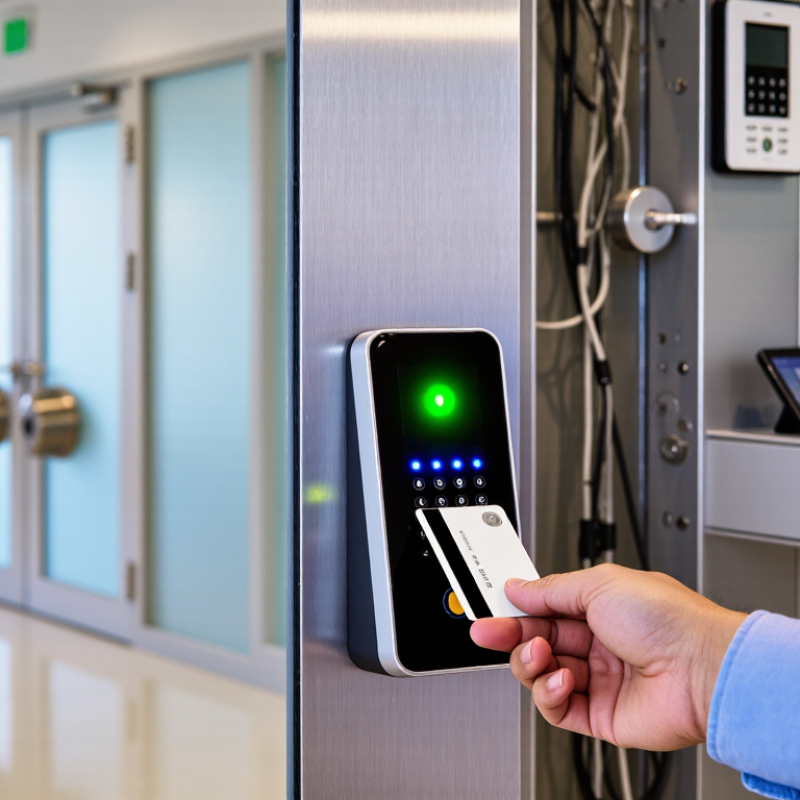
An access control system usually lasts five to fifteen years, but that range is only a planning estimate. Its useful life depends on readers, locks, controllers, wiring, software, and daily traffic. A quiet office entrance may age slowly, while a busy warehouse door experiences thousands of cycles each month. In facility assessments, I look beyond visible damage. Repeated unlock delays, faded keypads, loose cables, and unsupported software often reveal aging first. Sometimes, the hardware still works.
Physical components commonly need replacement before the entire system does. A damaged reader may be exchanged while the controller and database remain reliable. However, discontinued firmware creates a different problem. Security updates may stop, integrations may fail, and trained technicians may become difficult to find. That is why lifespan should include supportability, not just electrical operation. Maintenance matters. Cleaning readers, testing backup power, checking door alignment, and reviewing access logs can extend service life.
Environmental conditions also change the answer. Heat, moisture, dust, vibration, and frequent power interruptions can shorten component life. A realistic replacement plan records installation dates, failure patterns, software support deadlines, and spare-part availability. Annual reviews are useful, although they are easy to postpone during busy periods. I have seen systems labeled “healthy” because doors opened, even when security updates were already unavailable. That gap deserves attention.
| System Dimension | Typical Useful Lifespan | What Influences Lifespan | Common Warning Signs | Recommended Management Action |
|---|---|---|---|---|
| Complete Access Control System | 7–15 years | Installation quality, operating environment, maintenance, cybersecurity support, component availability, and system scalability. | Frequent failures, slow response times, unsupported software, unavailable replacement parts, or difficulty integrating new doors and credentials. | Review the system annually and begin a replacement assessment before critical components reach the end of their supported service life. |
| Electronic Door Readers | 5–10 years | Daily transaction volume, exposure to dust or moisture, physical impact, temperature changes, and cleaning practices. | Intermittent reads, delayed authorization, damaged keypads, dim displays, or repeated communication errors. | Clean and inspect readers regularly. Replace units that show repeated faults or no longer support current credential technologies. |
| Intelligent Door Controllers | 10–15 years | Power quality, heat, humidity, firmware support, enclosure protection, network stability, and electrical maintenance. | Random door unlocks or lockouts, communication dropouts, memory errors, overheating, or unsupported firmware. | Maintain surge protection and backups. Confirm firmware and security support before extending service beyond the normal range. |
| Electronic Locks and Door Hardware | 7–12 years | Door usage frequency, alignment, closing force, weather exposure, mechanical wear, and cleaning or lubrication. | Failure to lock or release, noisy operation, loose components, door alignment problems, or inconsistent latch engagement. | Inspect doors and frames as well as the lock. Correct mechanical problems promptly to prevent premature electronic failure. |
| Exit Devices and Request-to-Exit Sensors | 10–20 years | Usage intensity, physical abuse, environmental conditions, door alignment, and sensor contamination. | False alarms, delayed exit detection, sticking panic hardware, or unreliable monitoring of emergency exits. | Test emergency egress functions at scheduled intervals and replace components that cannot pass safety and operational tests. |
| Credential Media | 3–10 years | Physical wear, bending, exposure to heat or moisture, credential technology, security policy, and loss or theft rates. | Cracked cards, unreadable credentials, increased duplicate credentials, or technology that no longer meets security requirements. | Use a documented issuance and revocation process. Replace credentials when they are damaged, compromised, or technically obsolete. |
| Backup Batteries and Power Supplies | 3–5 years for batteries; 8–15 years for power supplies | Ambient temperature, charging cycles, load level, voltage stability, ventilation, and maintenance history. | Short backup duration, battery swelling, low-voltage alerts, unexpected resets, or failure during power interruptions. | Test backup capacity regularly and replace batteries according to test results and the manufacturer’s specified service interval. |
| Access Control Software | 5–10 years of practical use | Operating-system compatibility, security updates, database health, licensing model, integration requirements, and vendor support. | Unsupported operating systems, missing security patches, outdated encryption, unstable integrations, or inability to generate required reports. | Keep software and databases patched, maintain tested backups, and plan migration before security or support coverage ends. |
| Network and Communications Infrastructure | 7–12 years | Bandwidth requirements, cybersecurity standards, environmental conditions, cable quality, network changes, and equipment support. | Packet loss, delayed events, frequent disconnections, incompatible network protocols, or insufficient capacity for additional doors. | Monitor network performance and security. Upgrade infrastructure when it becomes a reliability or cybersecurity constraint. |
| Maintenance and Inspection Program | Continuous; review at least annually | Inspection frequency, staff training, spare-parts availability, documented testing, and response time for faults. | Repeated unresolved alarms, incomplete maintenance records, long repair delays, or inconsistent access permissions. | Use preventive maintenance, keep an asset register, test emergency functions, and track failures by component and location. |
| Replacement Planning | Start planning 2–3 years before expected end of life | Building risk level, budget cycles, system complexity, migration requirements, regulatory obligations, and business continuity needs. | Emergency-only repairs, rising maintenance costs, unavailable parts, unsupported technology, or inability to meet new security needs. | Prepare a phased replacement plan that prioritizes high-risk doors, critical facilities, obsolete controllers, and unsupported software. |
Most systems last five to fifteen years. This is only an estimate. Readers, locks, controllers, wiring, software, and traffic affect lifespan.
Watch for slow unlocking, faded keypads, loose cables, missing logs, and repeated credential failures. Sometimes, the hardware still works.
Not always. A damaged reader can be replaced while the controller and database remain reliable. Compatibility still needs careful checking.
Unsupported software may stop receiving security updates. Integrations can fail, and qualified technicians may become harder to find. Electrical operation is not enough.
Yes, regular maintenance can help. Clean readers, test backup power, check door alignment, and review access logs. Annual reviews are easy to postpone.
Heat, moisture, dust, vibration, and power interruptions can damage components. A dusty warehouse reader may age faster than a quiet office reader.
Aging controllers may lose event records or delay monitoring updates. A missing timestamp can complicate an investigation. Small faults spread.
Review support deadlines, failure patterns, spare parts, battery condition, and audit-log accuracy. Replace based on evidence, not optimism. My judgment could still be wrong.
Understanding what is the lifespan of access control systems is essential for maintaining secure, reliable, and cost-effective facility protection. Most systems can remain functional for many years, but their useful lifespan depends on hardware quality, software support, operating conditions, maintenance practices, usage intensity, and compatibility with newer security requirements. A system that is regularly updated and properly maintained is more likely to deliver consistent performance and adapt to changing organizational needs.
As access control technology ages, outdated components may become unreliable, difficult to repair, or unable to support modern security features. This can lead to access delays, system failures, data-management problems, and increased exposure to unauthorized entry. Organizations can extend system lifespan by scheduling inspections, replacing worn components, applying available updates, protecting equipment from environmental damage, training administrators, and planning upgrades before the system becomes obsolete. A proactive lifecycle strategy improves reliability, strengthens security, and helps control long-term operating costs.

 KBM Living